| OCR Text |
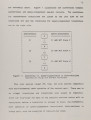
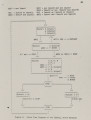
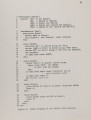
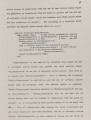
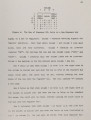
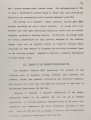
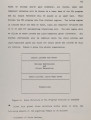
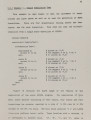
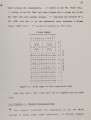
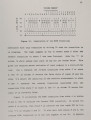
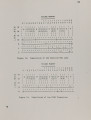
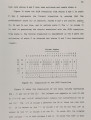
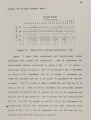
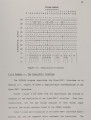
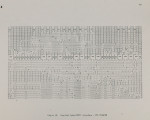
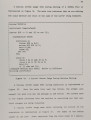
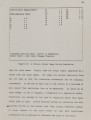
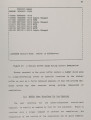
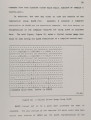
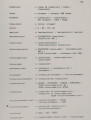
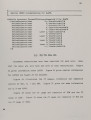
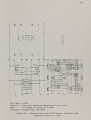
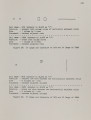
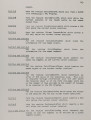
Show 96 ,;;:-;;;i;;9--------i-----------:-------------i 1 12 = o 02 = 01 I State-Machine Test9 13- = 1 03 = 11 I 14 = 0 04 01 I A = 0 15 = 0 05 -= 0 I I B = 1 16 = 0 1 I C = 1 - --17 = 0 1 ID = 0 , = 0 J IE = 0 1 IF = 0 1 I -I : _II I I 1 I I I I I I I I I I I I I I [ASSASSIN Simulate ModeJ Buffe is SICUInputs I IStable State - User Input Changes Possible 1 I I ,--------------------------------------------------------------------, Figure 20: A Typical Screen Image During Simulation come the input names. Finally come the output names, separated by 2 spaces from the input names. The names are printed vertically from the top down so that the simulation information can be concisely represented. At the end of each line in the history is a notation of what caused that particular line to oe generated. It could be an input change (or set or changes), a transition or a simulation backup. Transitions are denoted by the type of transition which took place (MOVE, FORK or JOIN). Errors detected during the simulation are also .... recorded briefly in the history text. They contain reference numbers to error numbers in the eror buffer so - that more significant information can be gathered to determine the cause of the error. |