| OCR Text |
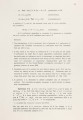
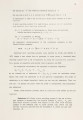
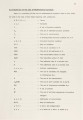
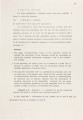
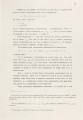
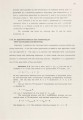
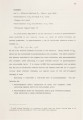
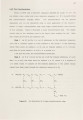
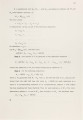
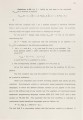
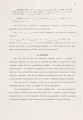
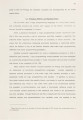
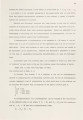
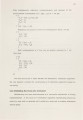
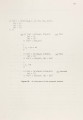
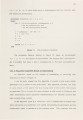
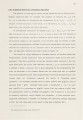
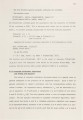
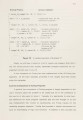
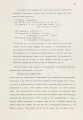
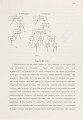
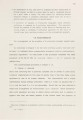
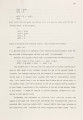
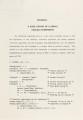
Show Example 13. Evaluating a polynomial of order n at a senes of x values in a given range. (Such evaluations are used tn plotttng curves.) A polynomial of order n is represented by a list of n coefficients. For example, 2*x 2 + 4*x - 5 is represented by the list [ -5, 4, 2] The parameters used in the clauses defining curve_ in _range and range are briefly explained below: Start: the starting point for the plot on the X-axis. End: the end point for the plot on the X-axis. Inc: the intervals on the X-axis at which the curve is to be plotted. Coeffs: coefficients of a polynomial. Y _value: the values on Y-axis, i.e., the points defining the plot. Current: the current x value being used for plotting. poly(X, AnAL) = X*poly(X, L) + An poly (X, [ ] ) = 0 curve(X, Inc, L) = poly(X, L) A curve(X+Inc,Inc,L) curve_in_range(Start, End, Inc, Coeffs, Y_values) :- range(Start, End, Inc, curve(Start, Inc, Coeffs), Y_values). range(Current, End, Inc, L, []) :-Current> End. range(Current, End, Inc, AAL1, AAL2) .- range(Current+Inc, End, Inc, L1, L2). In defining the function curve, one does not have to worry about boundary conditions, that is, the engineering of how the function ter-minates. This makes it easier to program and yields improved flexibility. Several steps in the execution of the goal ?- curve_in_range(-10, 10, 1, [2,5], L) are shown in Figure 19. We assume that the default control strategies are those used in Edinburgh DEC-1 0 Pro log. The substitutions, denoted by subi, are used to show the bindings of interest. Please note the convention of renaming variables by attaching "primes" or "subscripts" to them. 0 120 |