| OCR Text |
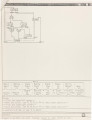
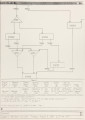
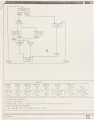
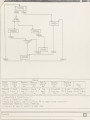
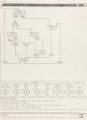
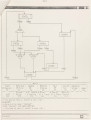
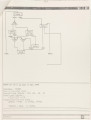
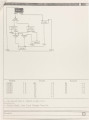
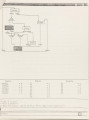
Show 32 certain portion of the state machine when the display gets t oo small, a windowing capability is included. Figure 4 shows the display after scaling down twice from the default size. Figure 5 shows the rectangle region specified by the designer after menu item "Windowing" has been selected and Figure 6 depicts the display afterwards. Since there is only one graphics window being used, multiple graphical state machine can not be displayed on the screen at one time. The menu items "Set to Default" and "Resume" are employed to set the drawing to either the default size in the world coordinates or to the display prior to windowing. This facilitates the generation of observing different displays. Total and Partial Deletion There are menu items to do the deletion of states, transitions and global inputs from the state machine. Note that the deletion of a state will also cause the deletion of associated transitions since they would be meaningless afterwards. Two types of deletions for "Fork" and "Join" type transitions are used to facilitate editing. In other words, if the designer chooses to delete a transition completely, all other portions associated with it will be removed from the data base automatically. The designer should be careful when using this menu item to avoid unintentionally deleting other portions of the transition. However, menu items for deleting only parts of transitions may be employed to fill a designer's need. The following figures depict the uses and the differences of using these various menu items. Figure 7 shows the state machine after the deletion of STATE5. Figure 8 shows the state machine after the deletion of TRAN3 |