| OCR Text |
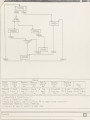
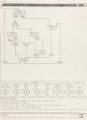
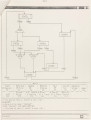
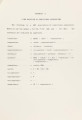
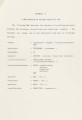
Show 10 efficient and portable interfaces to complex systems. PSL provides not only a powerful programming environment, but also the advantages of being able to extensively use the features of the target machine. Both graphical editing and multi-window displays are very significant for the development of GCS on Apollo Domain system, and PSL has provided such an integrated environment. ~·} Why Multi-~ Menus? An initial proposal was to use the whole graphics window for both, the state-machine display as well as the menu itself. However, this was found to be very inefficient, since it involved frequent refreshes of the graphics window. As a result it was decided to have multi- group menus, and to display only the pertinent part of the menus in a separate window. Another advantage of this choice is that the graphical display of the design is available on the screen for observation at all times during the design. The eight special function keys appearing at the top of the Apollo keyboard (labeled F1 - F8) are bound to individual menu items, and can thus be used to select desired menu items. Every one of these keys can operate in any of four modes - - normal (invoked when the key is pressed down), up- transition (invoked when the key is released), shifted (invoked when the key is pressed simultaneously with the <SHIFT> key) and control-shifted (invoked when the key is pressed simultaneously with the <CTRL> key. Since the number of menu items that we can display in the menu window is limited, (this will be discussed in the following section), only the normal and the shifted modes of the keys (total is sixteen different names) are used for |