| OCR Text |
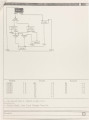
Show 12 control-unit or getting hard copies of the graphical display. The second group menu provides commands to read in the names and the logical expressions of global input variables of the control-unit; to do the scaling and windowing of a graphical display; and to save the design as well. The third group is for the general inputs of states and transitions which essentially describe the structure and the behavior of the control-unit. Because there are three types of transitions implemented in GCS, predefined symbols are graphically incorporated into the arcs to differentiate them. Since their functional behaviors are quite different from each other, separate menu items are used for constructing them. As it is easy to make mistakes in the design, the menu items for modifying the structure, behavior or geometry of the control-unit are needed. The fourth group provides those menu items to modify the structure of a state or behavior of a transition as well as to check their contents. This group also includes deleting states or transitions or just parts of transitions. The fifth group is probably least used among all the menus. This group basically does the graphical modification to the display. Commands for moving predefined symbols or deleting, inserting or moving corners of transition arcs are included. 2.4 Window Arrangement GCS has extensively used the flexible window-management schemes supported by the Aegis operating system on the Apollo. The screen has been effectively partitioned into several windows for displaying the |