| OCR Text |
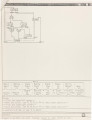
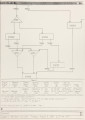
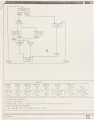
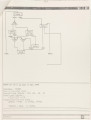
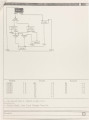
Show 20 line to connect to the "To States". Similarly, an up-side-down triangle with same dimensions is used for "Join" type transition, with the vertex at the bottom connects to the "To State", and four inputs on the horizontal side (top) for connecting the "From States". A designer enters not only the schematic information of a state-machine but also the corresponding graphical display items one at a time (by entering a new state or transition). In other words, GCS gives a designer a lot of freedom to construct the graphical display as he wants. Detailed implementation details of all these features are explained in the User's Guide. When a designer selects the menu items for entering transitions, he will have to construct an arc to graphically represent the transition. As mentioned earlier, there are six input and output points located respectively on the upper and lower edge of each state box. GCS will choose among the upper edge the output point which is closest to the cursor location selected by the designer. The point is echoed by placing a tick mark to highlight it. All line segments forming parts of transition arcs have to be either horizontal or vertical. If one of the endpoints is not exactly so, GCS selects the closest point that satisfies this requirement. To finish up the drawing of a transition arc, a designer will need to hit a control key. Since GCS already knows which is the destination state, this segment of the arc will be drawn automatically. At this point, GCS will find the most proper point among the input points of the sink state and direct the arc drawn so far to it by placing an arrow to indicate the completion of constructing this arc. |