| OCR Text |
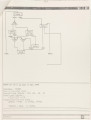
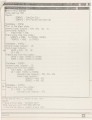
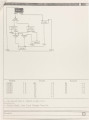
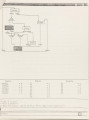
Show 15 is used to display the menu items of the group being used. The rest of the standard transcript pad is used to echo the inputs to GCS, display the program outputs, prompts or error messages. This is the typical format of the screen. At times, however, a slight variation is used, typically, when menu items for detailed information such as "Check State" are selected. checking At these times, a viewing window (i.e. a type of pad to which the designer has no write access) will pop up on top of the menu and the output windows, therefore, only the graphical and the viewing window (containing some information) are visible on the screen. Another possible screen arrangement is when a menu item such as "Modify State" is selected. An edit pad will pop up on top of the graphical window instead. Similarly, when a "Help" menu item is selected, a viewing window will pop on top of the whole screen, and the graphical, the menu and the output windows are all hidden beneath the display of the help messages. Detailed examples of all these cases are given later (Chapter 4). 2.5 The Cursor Positioning Device - TouchPad There are two devices available on the Apollo for positioning the cursor the Touchpad and the Mouse. The touchpad moves the cursor on the screen in much the same way as the arrow keys which are on the left hand side of the keyboard. The user changes the cursor's position by pressing the touchpad with a fingernail, or some similar item. The mouse is another cursor positioning device. The cursor position is changed by moving the mouse across the BitPad surface. Unlike the touchpad, the mouse also has four buttons on it. The user |