| OCR Text |
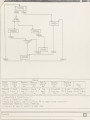
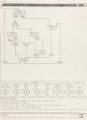
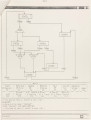
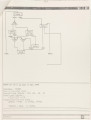
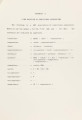
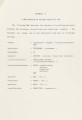
Show 11 defining menu items. These keys are defined from within a PSL program by dynamically calling the system routine PAD_$DEF_PFK for each group of menus. All menu items are therefore split into five groups, each of them containing at most sixteen menu items. These five groups of menus form a network in GCS with each group being accessible from the others. As the user switches back and forth between different groups of menus, the special function keys have to be rebound to different definitions. The advantage of implementing the menus in this manner is that it facilitates the effectiveness and clarity in the use of menus. Furthermore, with this scheme the system needs to pop only the menu window every time another group of menus is invoked, thus saving the time for refreshing the whole window and also preventing the designer from losing track of the display as might otherwise happen. However, the disadvantage is that the designer will need to be somehow familiar with the menu groups so he can find the menu item desired without searching through all the groups. The following gives a brief description of the menu items in each group: The first group which will be invoked when the system starts deals basically with the top-level design of the control-unit. This includes setting up the environment for the design of a brand new control-unit, reading from a specified file an existing design for further editing, saving in an external file both the structural and graphical information of the design at the time when this menu item is invoked writing on a hard copy device the textual descriptions of the design, invoking the simulator to functionally simulate the |