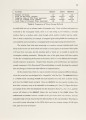
| OCR Text |
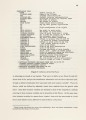
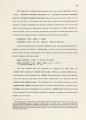
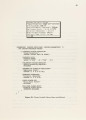
Show • Delete Deletes the tile. Once deleted, it is irretrievable, but a new instance of the same tile can easily replace it. • Replicate Replicates and tries to place the replica near the tile. This won't work if the tile is surrounded by other tiles, the screen will just flash to inform you of its futility. You can control how many replicas to try placing by the "Replicate Count" parameter (see below.) • Other Pops up a momentary menu of other tile operations. Click any button to choose one, or merely move the mouse off the menu to avoid choosing one. The options offered by this menu are described below: • Blink Makes the tile blink for a while! This changes the tile's display representation from its default to its "hightone" back and forth rapidly. Use this option to call attention to a tile. • Describe There are two options, actually. Clicking Left will show a brief description of the tile on the "temporary typeout window" telling you its tileset, key, size and placement constraints. You must type a space to remove the display. (It tells you to do this.) Clicking Right on this option will show a full description of the tile, including the names and values of all its instance variables. • Inspect Allows you to examine (and even modify) the tile using the Inspector. DO NOT use this unless you know what you are doing! It is possible to really mess things up by modifying tile instance variables. •Edit Creates a "font" from the tile's display representation, and then invokes the Font Editor. If the Font Editor has not yet been started up, the status line will show "Output Hold" and you must press the <Function> and <Escape> keys to expose the Font Editor window. Again, use this only if you know what you are doing!1 • Device Shows the tile's device description as a "net macro definition" on the typeout window. 87 1 Actually, while you can change the display rep this way, the changes will not become permanent unless you send the tile the :SAVE-DISPLAY-REP message after returning from the Font Editor. But this is not offered by the menu, so it is not easily done! |