| OCR Text |
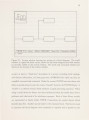
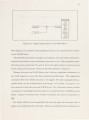
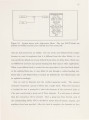
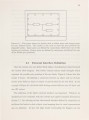
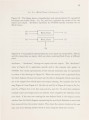
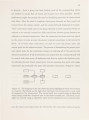
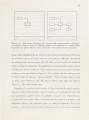
Show .5 user change his or her style to conform to the syst m. Niinimizing th am unt f user conformity helps in achieving a "natural and conv ni nt' interfac . Multipl representations, different tools, and various methods of interaction can b us d to ensure that an experienced programmer will be familiar with at least som of th representations, tools, and paradigms used. User conformity is also minimized by allowing the environment to be customized and extended according to personal preference and necessity. Other critical issues involve response time, screen layout, and the system's "lookand- feel," i.e., overall system consistency. It is also important to provide the user (programmer) with visual feedback concerning his environment. When the current view is zoomed or scrolled the user should not be forced to wait 30 (or even 5) seconds while the screen in redrawn. The task of combining these attributes in a user friendly system is not simple. 1.3 Related Work 1.3.1 BOSS The Block-Oriented Systems Simulator (BOSS) [4) provides a complete interactive environment for the simulation-based analysis and design of communication systems. BOSS uses interactive graphics to specify the topology of communication systems in terms of a set of interconnected functional blocks. Each block represents a software routine which simulates a signal processing operation. Fundamental blocks may be created and added to the system by following a predefined format. The user may also create high-level blocks by combining existing blocks and specifying the appropriate characteristics for the new block, e.g., inputs, outputs, parameters. All blocks, including user-defined blocks, are only accessible through a menu hierarchy. Help is available for all blocks and the user is allowed to pan and scroll within a limited region. |